

Recast
Global Furnovate
Bangalore — 2026
AI & Creative Tools
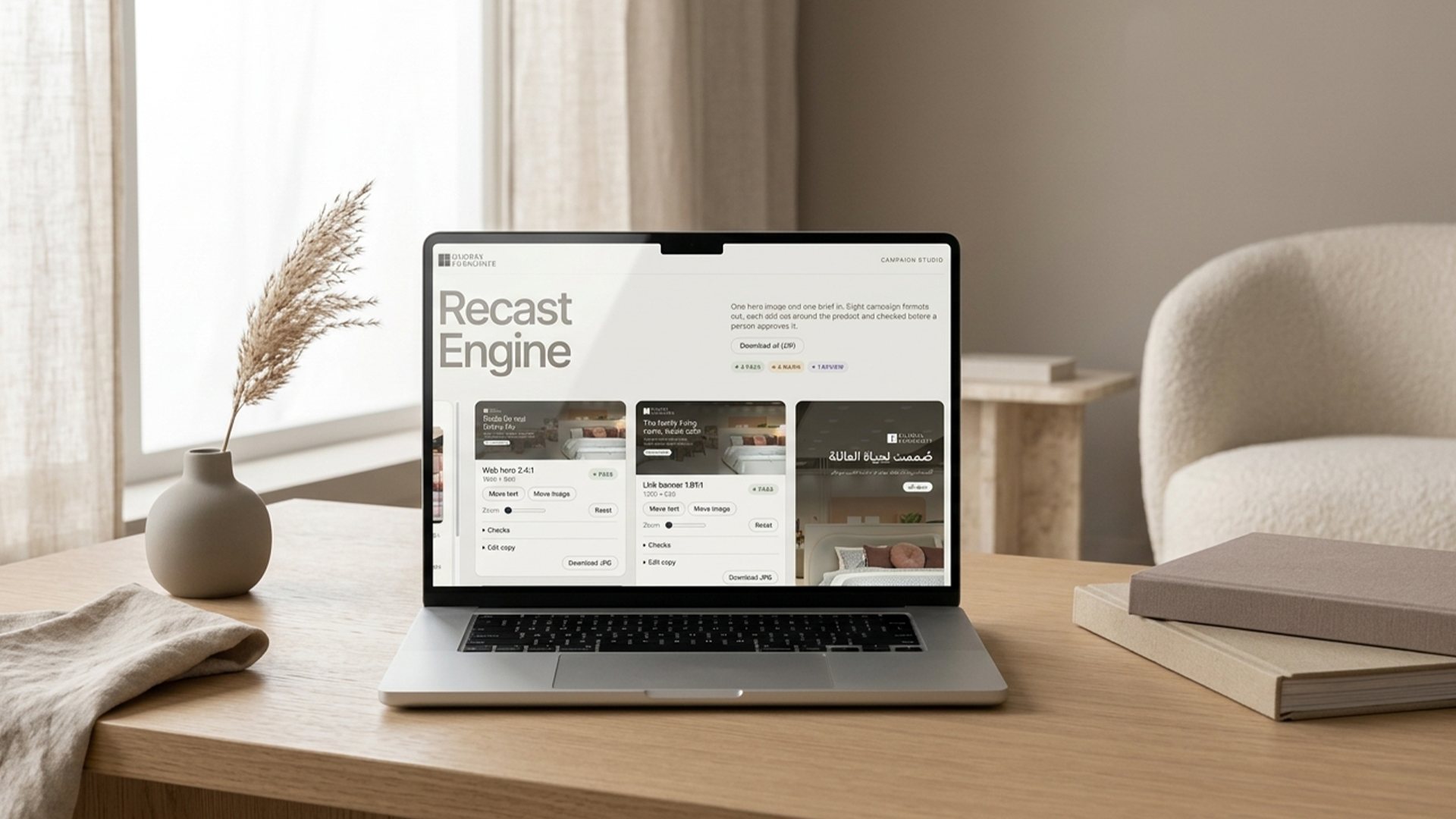
One hero image in. Eight formats out, and not one headline sitting on the product.
Fully autoamted campaign adaptation tool. You upload the hero and drag a box over the product, and every format works out where the copy should go: on whichever side of the product has the most empty space. It crops around the product, sizes the overlay to the text, and writes copy for each format from a one-line prompt template, with word limits set by the format and facts taken only from the brief.
Every variant is checked before a person sees it: contrast against the brightest pixels behind each line of text, story safe zones, text size at real screen size, word counts, banned claims and prices, approved calls to action, file-size budgets, and whether the product is still visible. The Arabic story is always flagged for native review. Anything the checks miss, a designer fixes by dragging the text or the image, and the checks re-run while they drag.
Role
- Product design
- Build
- Creative governance
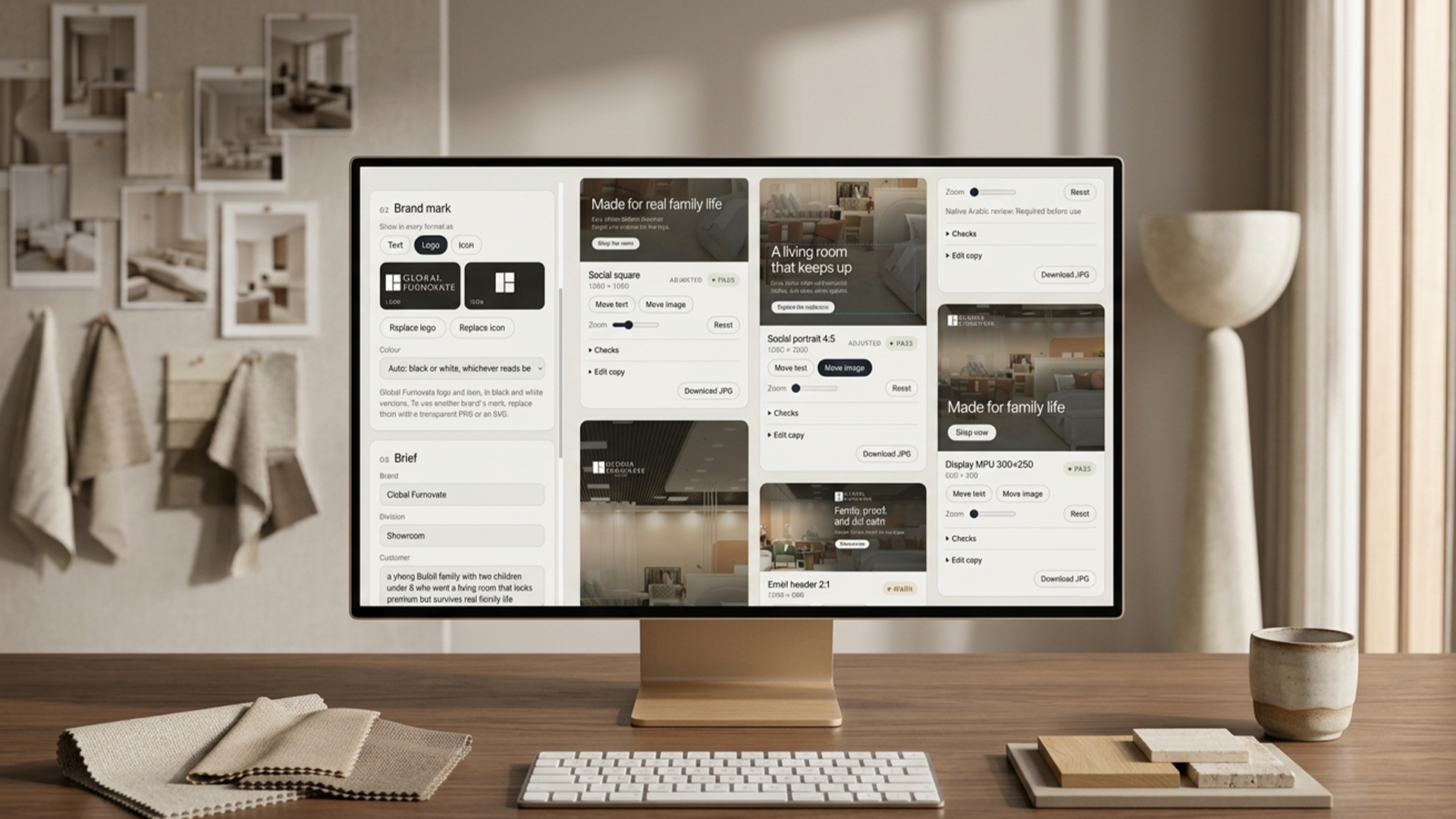
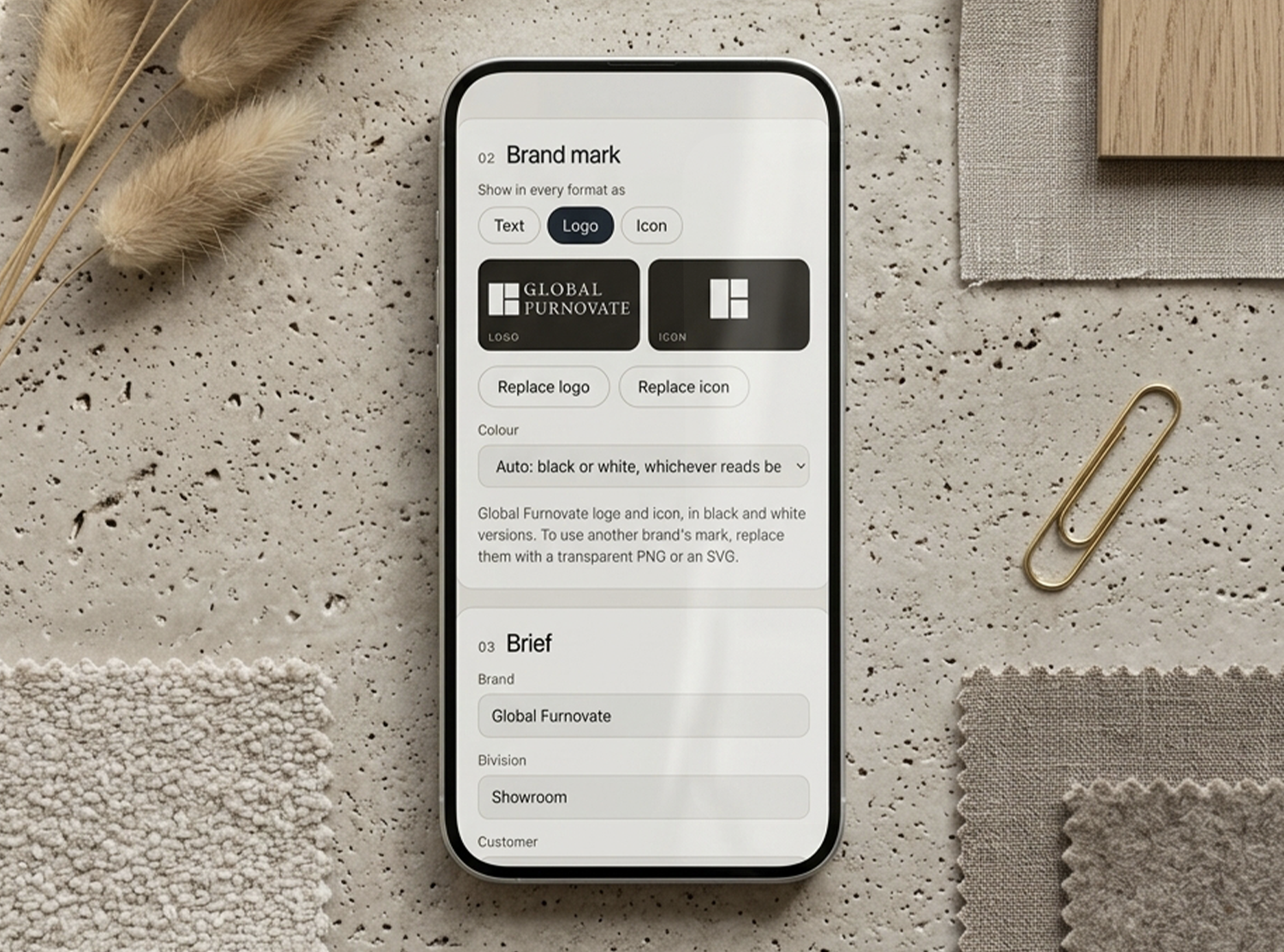
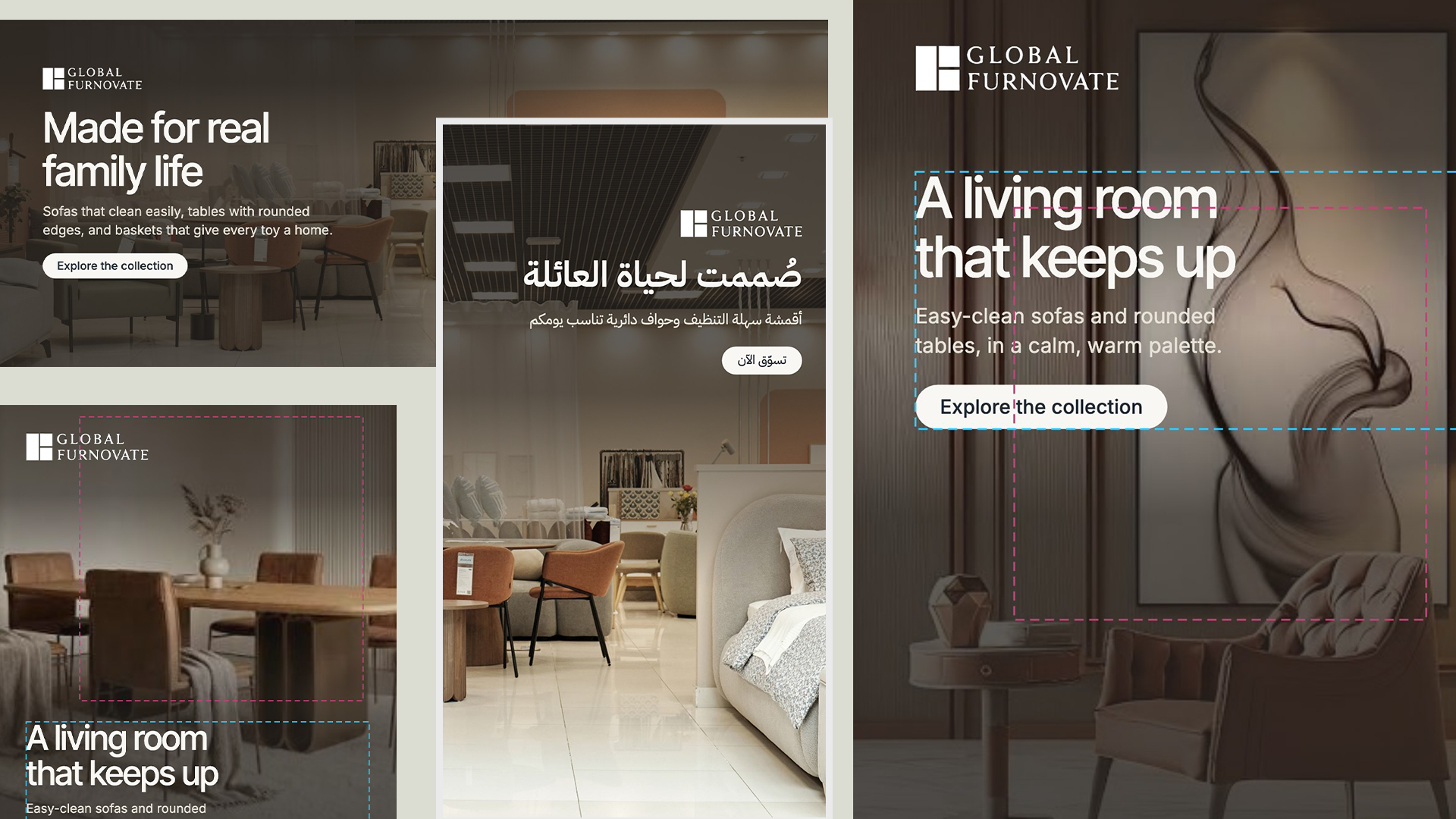
A browser tool that turns one hero image and one brief into eight campaign formats, laid out around the product and checked before anyone approves them.
Self-initiated. Built with Claude for a concept brand
- Copy placed wherever the product isn't
- Ten automated checks on every format, and a person approves the result
- English and Arabic, with the logo switching to black or white by contrast
How it works
- 01Upload a hero image and drag a box over the product
- 02Each format puts the copy on the side of the product with the most room, then crops around the product
- 03Claude writes copy for all eight formats from one prompt template and the brief
- 04Every variant runs through ten checks and shows pass, warn, review or fail
- 05A designer adjusts anything by hand: move the text, move or zoom the image
- 06Download all eight as a ZIP with the QA report, the brief and the prompt template
The prompt template
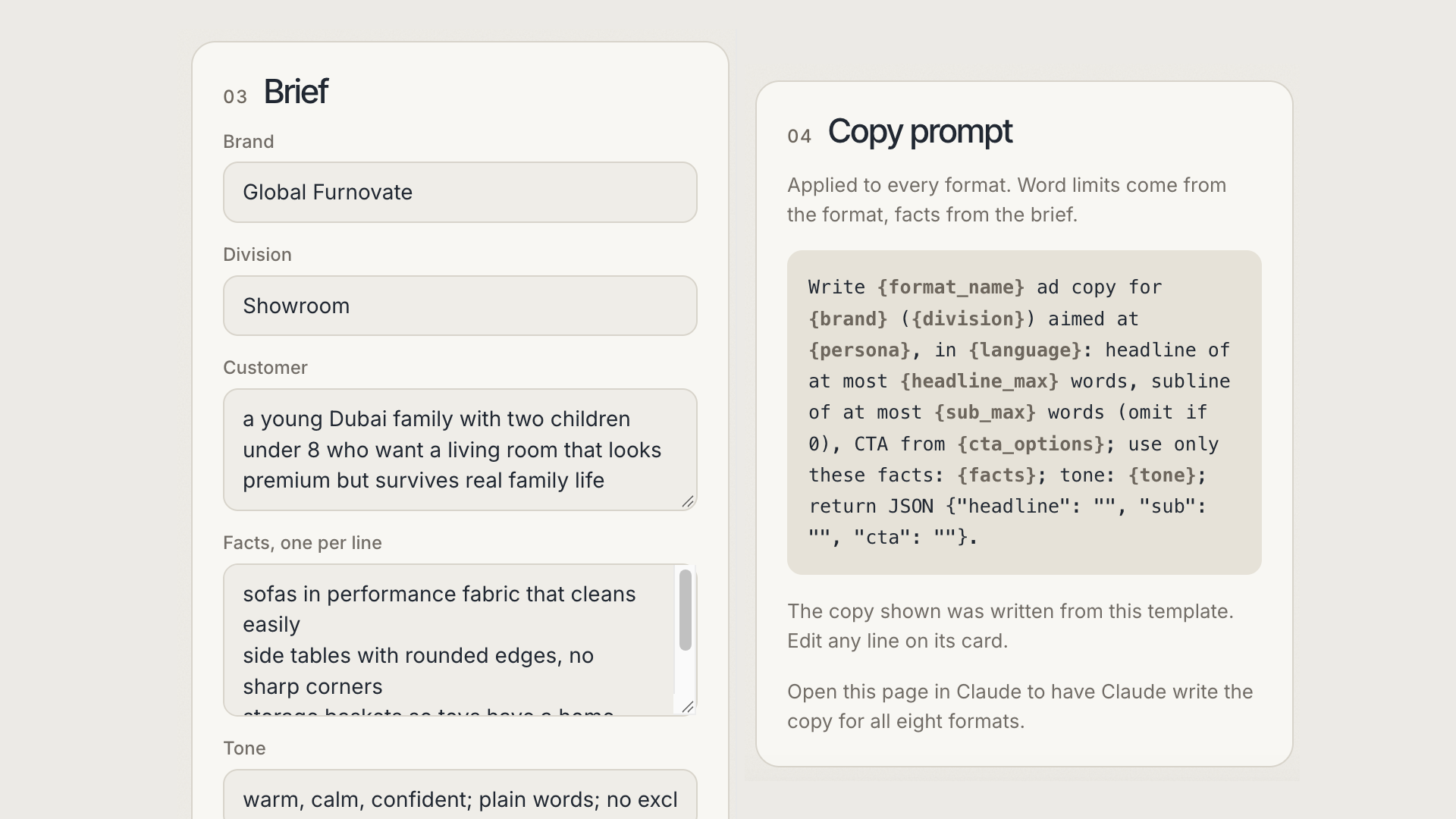
One line, applied to every format. The format supplies the word limits, and the brief supplies the only facts the copy may use.
Write {format_name} ad copy for {brand} ({division}) aimed at {persona}, in {language}: headline of at most {headline_max} words, subline of at most {sub_max} words, CTA from {cta_options}; use only these facts: {facts}; tone: {tone}; return JSON.
Eight formats
| Format | Size | Where it runs |
|---|---|---|
| Web hero 2.4:1 | 1920 x 800 | Website homepage |
| Social square | 1080 x 1080 | Instagram and Facebook feed |
| Social portrait 4:5 | 1080 x 1350 | Instagram feed |
| Story 9:16 | 1080 x 1920 | Instagram and Facebook stories |
| Story 9:16, Arabic | 1080 x 1920 | Stories for Arabic-speaking audiences |
| Link banner 1.91:1 | 1200 x 628 | LinkedIn and Facebook link posts |
| Email header 2:1 | 1200 x 600 | Email, shown at 600 px wide |
| Display MPU | 600 x 500 | Display ads, shown at 300 x 250 |
Automated checks
| Check | Rule |
|---|---|
| Contrast | Every line of text and the logo, measured against the brightest or darkest pixels behind it |
| Product clear of copy | At least 75% of the product in frame, at most 15% under text |
| Story safe zones | No text in the top or bottom 250 px, where the app interface sits |
| Headline lines | Within each format's line limit |
| Text size on screen | Smallest text measured at the real display width |
| Copy length | Word limits per format |
| Claims and prices | No prices, percentages, "free", "best" or exclamation marks |
| Approved CTA | Button text from the approved list |
| Image enlargement | No more than 1.5x enlargement |
| File size | Budgets for email and display formats |
What stays human
- Approving every variant before it ships
- Native review of all Arabic copy
- Choosing and cleaning the hero image
- Judging the idea. The checks catch mechanical failures, not weak creative
Next project
Campaign Briefing App
AI & Creative Tools — UK / GCC / Global 2026